01
Voice and text
Say it as it comes.
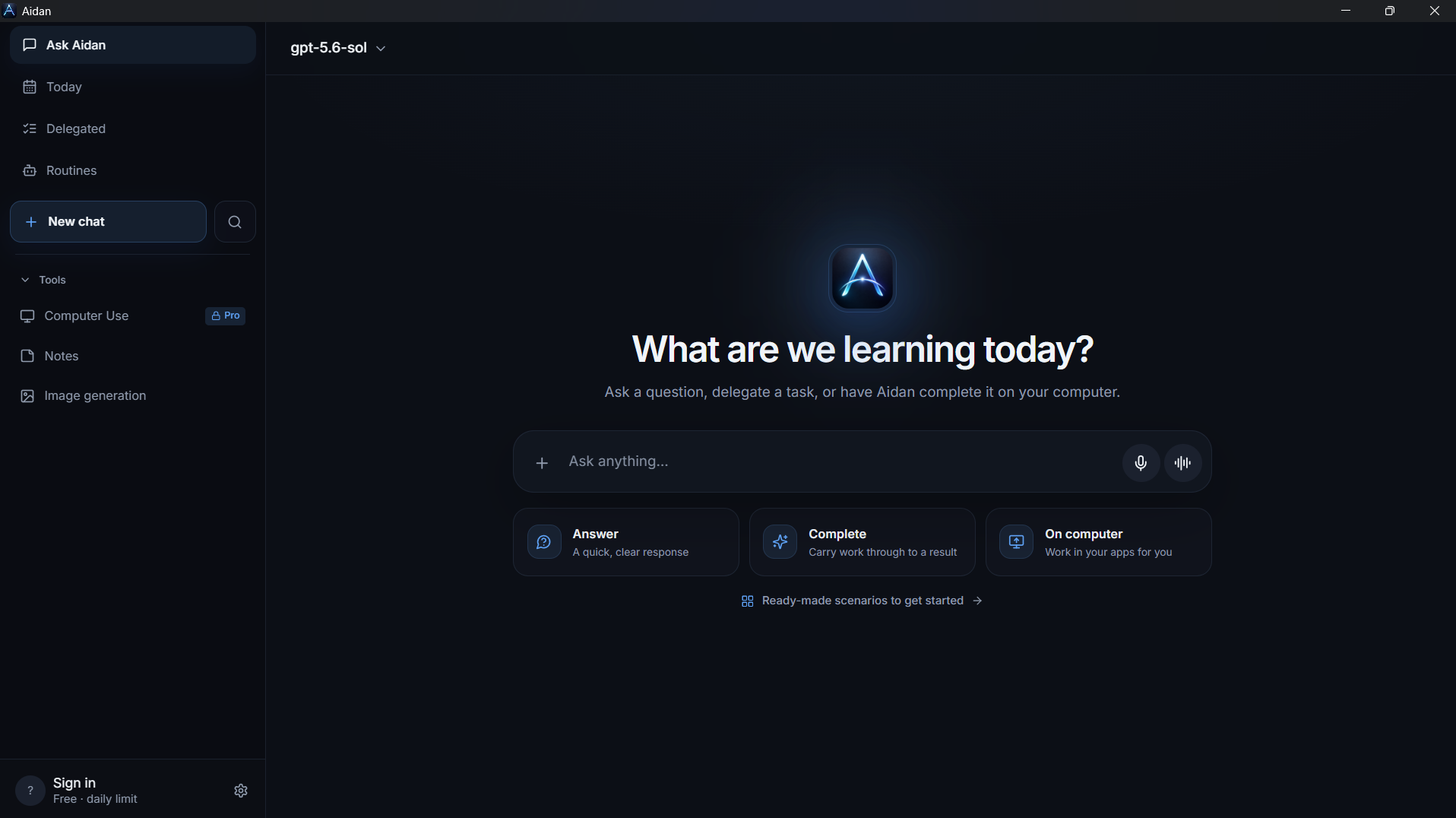
A short dictated request or a dedicated voice conversation. Choose the way you want to talk to Aidan.
Give your thoughts shape, your materials structure, and your ideas a next step. Talk to Aidan, create documents, and keep what matters in one place.
Building Aidan with our first participants.
AT YOUR PACE
Not every task needs another tool. Sometimes you just need to say what you want and work on the result in a natural conversation.
Voice and text
A short dictated request or a dedicated voice conversation. Choose the way you want to talk to Aidan.
Documents and images
Create DOCX, PDF, XLSX files and images from a conversation. Review the result and refine it for your task.
Memory and notes
Useful memories, notes, and history help you return to your topics. Manage saved memories in settings.
Tasks and routines
Delegated tasks, status updates, and recurring routines live in the app. Review the outcome as well as the assistant’s response.
START WITH ONE REQUEST
Here’s how your conversation with Aidan could begin. These examples illustrate workflows and output formats, not recorded task executions.
Bring your meeting notes. Ask for decisions, open questions, and next steps in a document you can edit and share with your team.
Turn these notes into a launch plan. Separate decisions, tasks, and questions. Don’t invent deadlines: flag what needs clarification. Create a DOCX.
Creates a new document from your materials. Preserving an arbitrary template’s formatting is not yet guaranteed.
BEYOND THE CONVERSATION
Connect the services you need and choose your interface. Capabilities vary by platform and mode.
Tools for email, calendar, and files after connecting your account.
Work inside apps on a supported computer. Sensitive actions require confirmation.
Text chat, search, memory, and notes from your familiar messenger.
Manage memory, connections, and your data in settings. Review important facts and results before using them.
Data and privacyBEFORE WE GET STARTED
An honest look at where we are.
Aidan brings conversation, personal context, notes, tasks, and files into one workspace. Our aim is to turn everyday requests into useful outcomes. It’s still in development: with early testers, we’re discovering where it works better than their current tools.
The project includes chat, web search, visual answers, memory, notes, voice modes, file and image generation, tasks, and routines. Availability depends on your build, mode, and provider. Some features need your own API key. Your invitation will explain what’s available in your version.
Development and test builds exist for Windows and Android, alongside a web interface. Computer Use requires a supported Windows computer. There are no public app store releases yet; installation is by invitation.
Connecting Google Workspace enables tools for email, calendar, and files. Available actions vary by mode. Telegram supports text chat, search, memory, and notes; voice, files, Computer Use, and Google Workspace actions are not yet available there.
Settings let you inspect and clear memory, disconnect integrations, export your data, and delete your account. Computer Use asks for confirmation for sensitive actions. Requests use external AI providers; see the privacy policy for details.
Public pricing has not been announced. Applying is not a purchase or a commitment. We’ll explain testing terms, available features, and any API costs before you join.
Tell us about a task that takes up your time. Help us build an assistant you’ll want to come back to.
By invitation. No commitment.